Parallel Space Lite
Screenshots

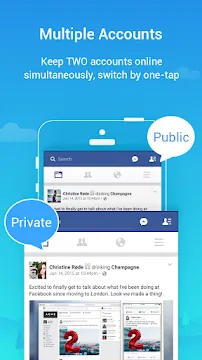
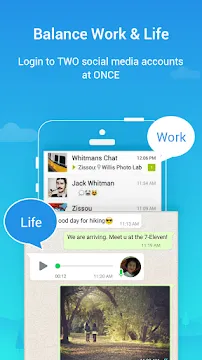
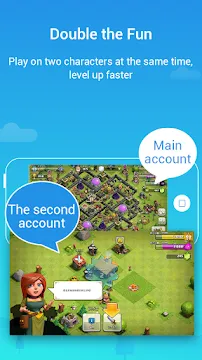
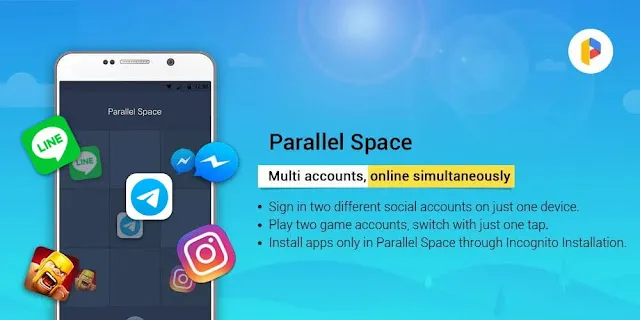
Parallel Space Lite offers a simple way to clone apps on your mobile device. You can run two accounts simultaneously without logging out constantly. This lightweight utility helps you separate your personal life from your professional communication easily.
Many users need to manage multiple social media profiles during their daily routines. Similarly, mobile gamers often want to play with multiple characters at the same time.
Consequently, this tool solves these exact multitasking issues. It creates a completely isolated virtual environment right on your storage system.
Moreover, the application functions perfectly without needing root privileges. You do not have to modify your mobile operating system files at all. Therefore, anyone can quickly set up secondary profiles within a few minutes.
What Is Parallel Space Lite and How Does It Work?
Parallel Space Lite operates as an independent virtualization engine on your operating system. It relies on a unique architecture to build a secondary space. As a result, cloned applications run inside this specific container smoothly.
The tool replicates the necessary system files to trick clone programs. For example, your cloned chat application thinks it runs on a separate device. Therefore, it allows you to log into a totally different phone number.
Meanwhile, your original application continues to function normally in the main storage. In other words, the process does not interfere with your primary device data.
The tool manages the background tasks for both applications effectively. It handles your notifications, updates, and memory tracking channels simultaneously. Consequently, you can switch between your two separate profiles with a single tap.
But how does it maintain efficiency on older hardware? The developer optimized the source code to reduce background battery drain.
Likewise, the tool minimizes data usage during active background sync cycles. This optimization helps budget device owners manage multiple accounts without facing lag.
In addition, the software isolates each application instance cleanly. This prevents data leakage between your main profile and your cloned profile. Therefore, you can safely log into different email addresses or gaming networks.
Many users wonder if the application clones the file size entirely. Actually, it only creates a link to the original application core files. Consequently, it saves a massive amount of internal device storage space.
Key Features of Parallel Space Lite
This cloning program includes many technical advantages for modern mobile users. We compiled a list of the most important aspects below.
Dual Account Management
Firstly, you can clone almost any social or gaming application easily. This feature separates your work chats from your family messages.
In addition, you receive notifications from both accounts at the same time. You will never miss an important text message again.
Lightweight Resource Footprint
Secondly, the installation package requires very little storage space. The application itself takes up less than sixty megabytes of memory.
Furthermore, it operates efficiently without slowing down your system hardware. That is to say, it saves valuable temporary storage.
Budget devices can run it easily without experiencing thermal throttling. Consequently, your mobile device maintains a smooth user experience.
High Compatibility Across Applications
Thirdly, the tool supports a vast majority of mobile applications. You can clone popular communication programs and online strategy games.
Moreover, the system updates regularly to remain compatible with new software releases. However, apps requiring extra secure environments may not work.
For instance, high-security banking software usually blocks virtualization attempts. But standard social apps and strategy games work flawlessly inside the container.
MultiDroid Virtualization Engine
Fourthly, the underlying technology uses the advanced MultiDroid application engine. This software engine builds a stable virtual platform for your mobile apps.
As a result, the cloned versions rarely experience unexpected app crashes. It provides a highly reliable environment for daily multitasking.
You can enjoy a smooth user experience across all cloned software. The engine manages hardware allocation perfectly for each active task.
Secure Privacy Lock Options
Fifthly, you can protect your cloned data using an advanced security pattern lock. This privacy lock stops uninvited guests from viewing your private communication.
For instance, you can set a password specifically for the cloned applications. Your private chat logs remain completely safe from prying eyes.
This security feature works excellently for users who share their devices with family members. Therefore, your private workspace remains confidential at all times.
Support for Custom Styling Themes
Finally, the application features a dedicated built-in theme store. Users can customize the appearance of their cloned applications within seconds.
For example, you can apply unique styles to differentiate your two active accounts. This visual trick prevents you from sending messages from the wrong profile.
Moreover, you can explore dozens of creative skins inside the customization library. Changing the theme takes only a single tap on the interface screen.
How to Download and Install Parallel Space Lite APK
You can acquire the installation file safely by following our simple setup guide. We host the original file directly on our secure web servers. Therefore, you do not need to look elsewhere for clean packages.
Follow the precise sequence below to complete your setup. Make sure to read each instruction carefully before executing the action.
- Enable Unknown Sources
- Open the settings application on your mobile device. Then, navigate straight to the security options menu. After that, toggle the switch to allow installations from unknown sources.
- Download the APK File:
- Click the direct download button located on our official website. Then, wait patiently for the secure download process to finish completely. Make sure you have enough free storage space before continuing.
- Locate and Open the Package:
- Launch your favorite file manager application on your mobile device. Next, open the internal storage folder and locate the downloaded package. Then, tap on the file to initiate the system installer screen.
- Confirm the Installation:
- Review the requested application permissions on your mobile screen. After that, press the install button at the bottom of the display. The system will extract the necessary virtual engine files automatically.
- Launch and Configure:
- Tap the open button once the system confirms a successful installation. Then, grant the necessary storage and notification access permissions to the application. Now, you can start cloning your favorite mobile apps immediately.
Parallel Space Lite Tips and Tricks for Optimal Performance
To maximize your application performance, you should follow several expert recommendations. These strategic adjustments prevent common issues like delayed notifications or high battery consumption.
- Add the App to Your Whitelist: Many system booster tools close background processes automatically to save power. Therefore, you must add this cloning tool to your system whitelist. This action ensures you receive messages from secondary accounts without any delays.
- Manage Individual Permissions: Each cloned application requires specific system permissions to function properly. For instance, a cloned map application needs location access. Make sure you grant these permissions inside the tool settings menu.
- Monitor the Task Manager: Use the built-in task manager to check resource consumption regularly. You can see exactly how much memory each clone application uses. Consequently, you can close heavy background apps to free up device memory.
- Install Supporting Add-Ons: Some legacy games require specific 32-bit architecture to run properly. In addition, modern high-end games often need 64-bit support modules. Download the official compatibility extensions from our website to fix loading issues.
- Use Separate Phone Numbers: Certain social messaging networks do not allow two accounts on one number. Thus, you must use a different active number for your secondary profile. Keep that secondary phone nearby to receive the required verification codes.
Why Parallel Space Lite Is Better for Low-End Devices
Many mobile users own devices with limited random access memory and weak processors. Standard cloning applications often exhaust these limited hardware resources very quickly. However, this specific version uses a highly optimized codebase to solve this issue.
Firstly, the application reduces the overall stress on your central processing unit. It schedules background synchronization tasks efficiently to prevent CPU spikes. As a result, your mobile device remains cool even during long gaming sessions.
You will notice fewer frame drops while playing cloned games. Secondly, the memory management system compresses background data effectively.
It releases unused cache memory back to the operating system automatically. Therefore, you can run multiple clones on a device with only two gigabytes of RAM. The system will not freeze or force-close your primary applications.
Finally, it significantly lowers battery consumption compared to standard virtualization software. The background idle state consumes almost zero power when clones remain inactive.
Consequently, your mobile device maintains a long battery life throughout the day. You get all the benefits of dual accounts without sacrificing hardware health. This efficiency makes it a smart choice for older mobile devices.
Conclusion
To sum up, Parallel Space Lite provides an efficient solution for running multiple accounts simultaneously. The lightweight build ensures stable operation on both older and modern hardware setups. Moreover, the secure privacy lock keeps your private communication entirely protected from unauthorized access.
You can easily separate your personal profiles from your professional obligations using this single program. In addition, our website offers a secure link to download the latest version instantly. Start managing your digital profiles efficiently today by downloading this excellent application right now.
- Free Adblocker Browser:Adblock
- Browsec
- Xiaomi System Apps Updater
- Family Link parental controls
- Google Fi Wireless
- v2RayTun
- aaShell
-
ExpressVPN
 Download
ExpressVPN: VPN Fast & Secure
ExpressVPN secures your mobile internet connection against...